
Furnish any room from a photo.
Shoppers upload a photo of their room, describe or draw the change, and get it back restyled with products they can buy. For a furniture retailer, the same engine places your products in the shopper’s own room. It covers business premises too: vacant offices, meeting rooms, shops and cafés.
- How shoppers meet it
- On request
- What it needs
- Your feed and the script tag
- Status
- Live today
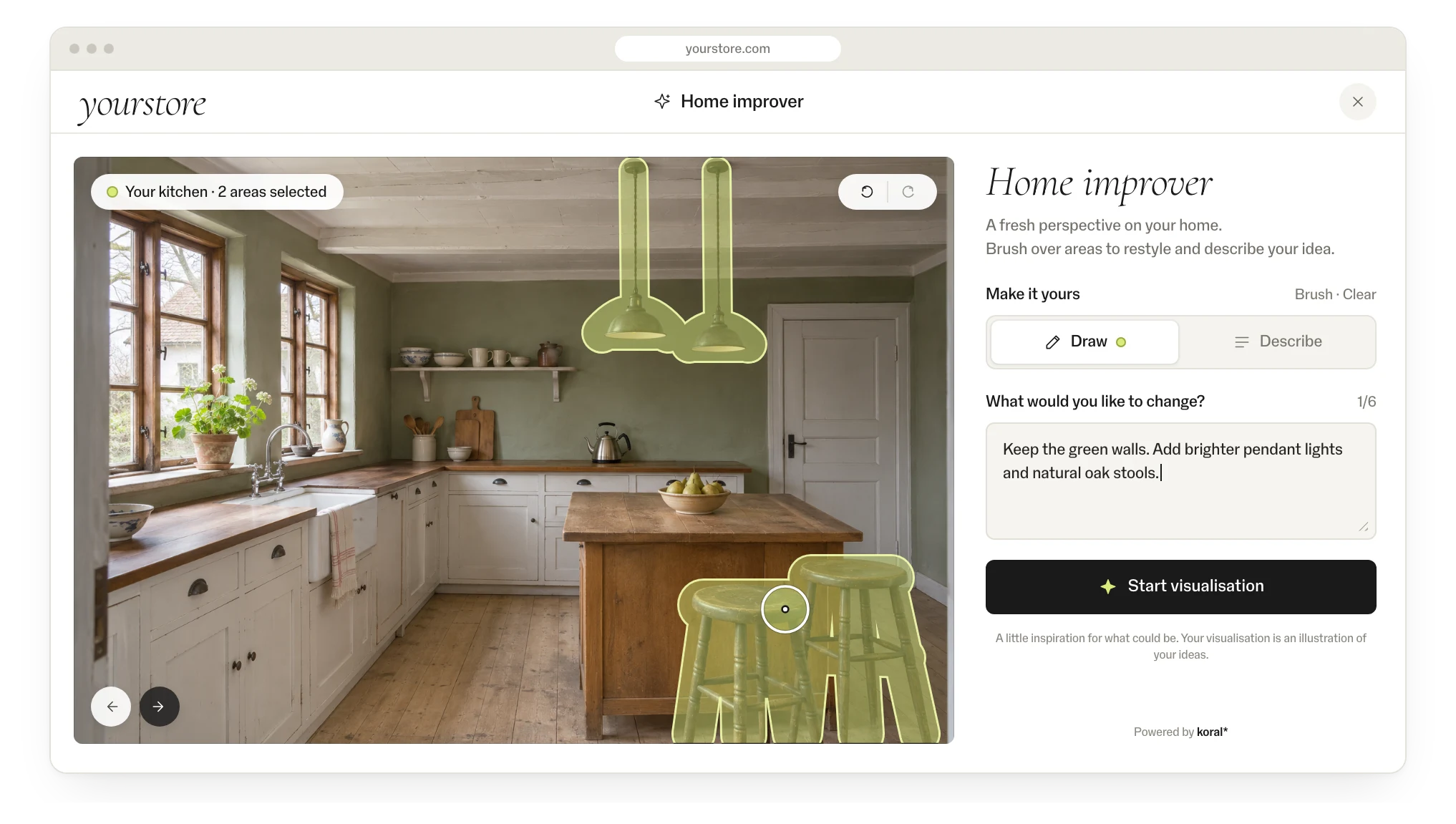
From photo to basket.
A photo of the room
A phone photo or a saved listing photo. No measuring, no 3D model.
Describe or draw the change
“Make it brighter, Scandinavian, add a reading corner”, or circle the area to change.
The room, restyled and shoppable
Every piece placed is a product from your catalogue, one tap from the product page or the basket.
Similar homes
Visual search on listing photos finds homes that look alike, a new route through the catalogue.
See it in action.
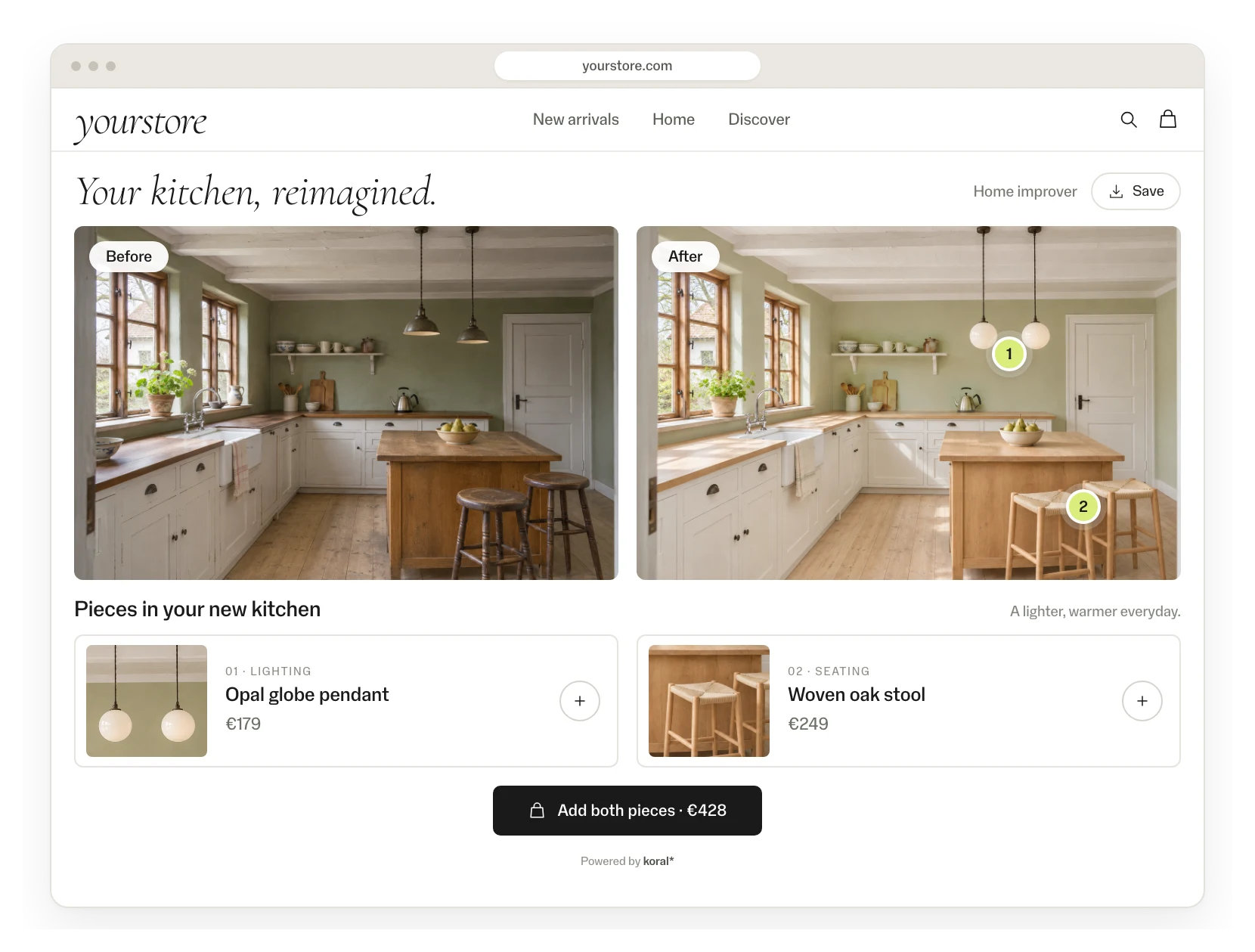
The restyled room
Before and after: the same room restyled, with every placed piece shoppable.
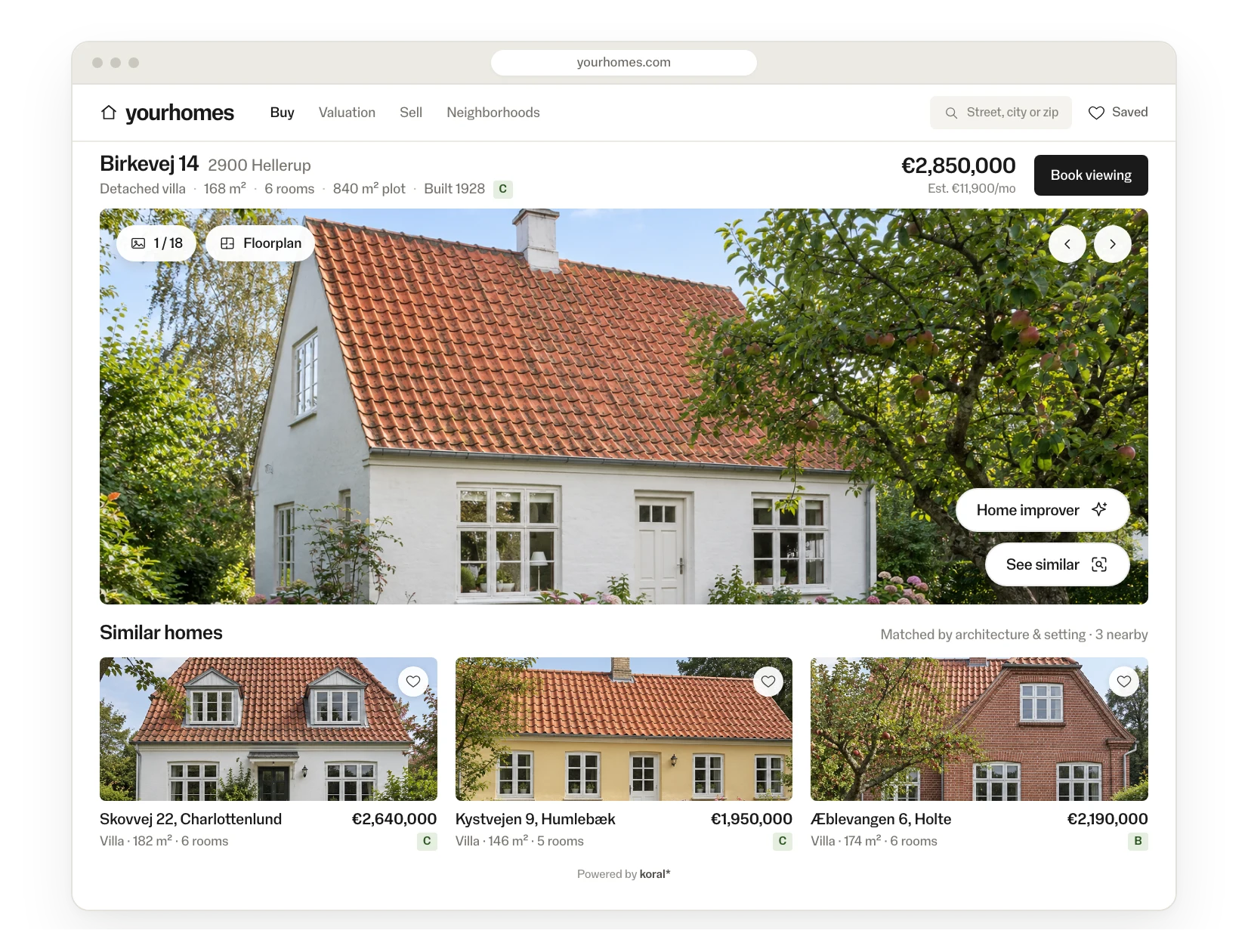
On a listing photo
Small buttons on the listing photo start Home improver or find similar homes.
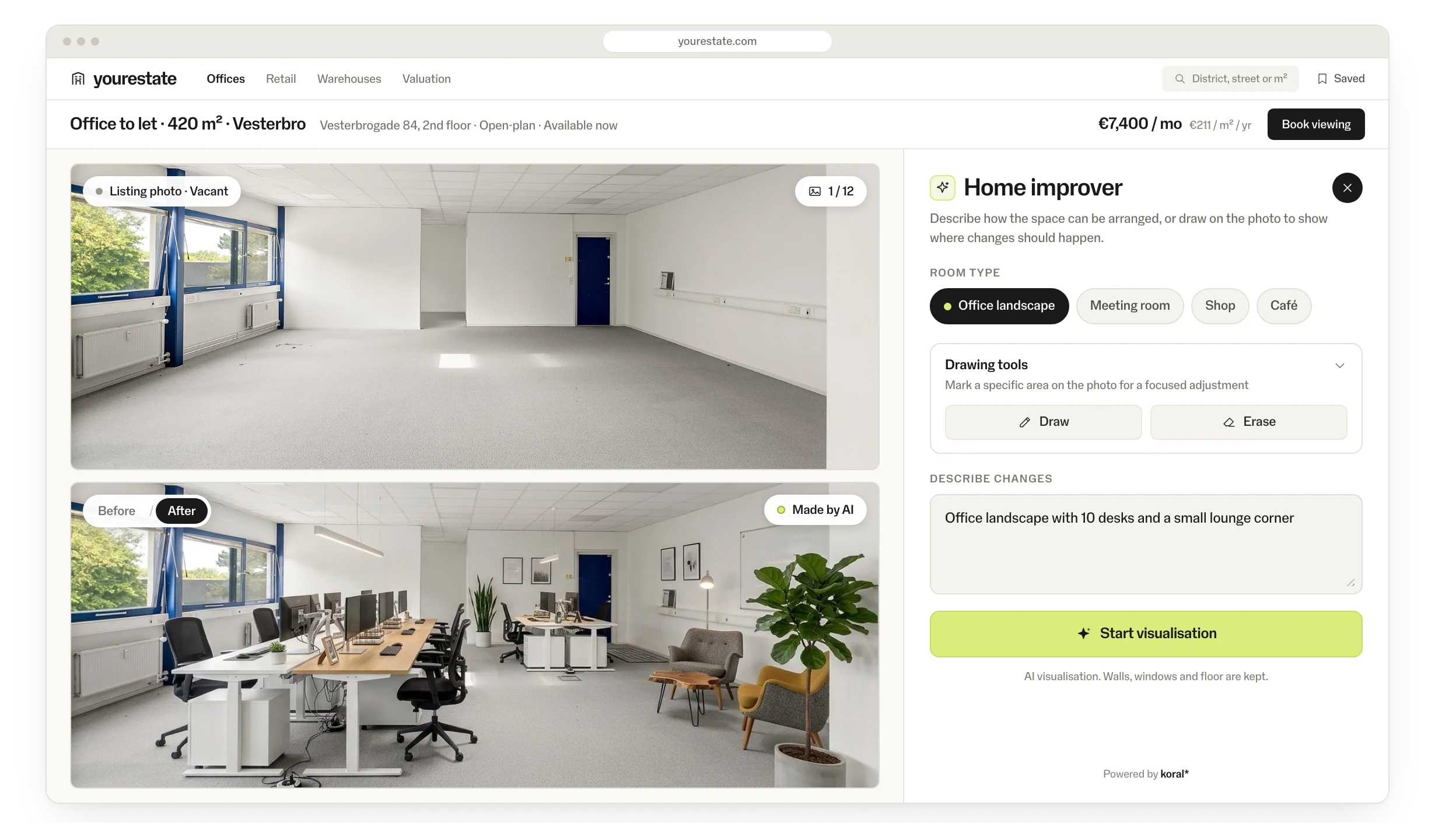
Business premises
An office to let, shown furnished: the visitor picks a room type such as office landscape, meeting room, shop or café.
From the same real-estate chain: See similar and image search on listing pages, 38 branches.
Of tracked conversions in the pilot branches were linked to AI use.
Visual searches from listing photos in one month.
Higher conversion when Koral tools were part of the session, compared with the site average.
Implementation: this is all it takes.
Nothing is prepared by hand. Koral generates from your product feed when the shopper asks, shown in Koral’s widget or in your own components.
<!-- one tag, via GTM or the template -->
<script src="https://script.koral.nu/dist/index.js?searchId=YOUR_SEARCH_ID&homeImprovement=true"></script>
Widgets are included and take your colours, radius and language. Or render your own components on the same data.
Feed connected
CSV, JSON or your platform feed. Koral indexes every image, in any language and any category.
Widget or endpoint wired
Use Koral’s widget, or have your team render the result on the same endpoints.
Live and measured
Pilot on one category, with events in your analytics. Then roll out market by market.
Good to know.
- Generated on request
- The result is generated when the shopper asks, from the products in your feed.
- Your catalogue only
- Everything the shopper sees is a product from your own catalogue.
- Design
- Koral’s widget takes your colours, radius and language, or your team renders its own components on the same endpoints.
- Analytics
- Views, clicks, add-to-carts and conversions as events in GA or your own stack. Every pilot has an agreed KPI.
- Control
- A rules engine for what shows where: categories, price bands, stock, margins and brand exclusions.
Security and data.
- Nothing is kept
- Koral keeps nothing from shoppers. Photos and data are used for the request and not stored.
- Processed in the EU
- The script is served from a global CDN; requests are processed in the EU.
- Uptime
- 99.9% uptime SLA.
- Data processing agreement
- A data processing agreement (DPA) comes with every contract.
- Your product data
- Product data stays yours; nothing is trained on it.
Questions about data processing? Write to hello@koral.nu. Privacy policy →
Frequently asked questions.
No. A phone photo or a saved listing photo is enough.
Only products from your own catalogue, each one linked to its product page.
Yes. For a furniture or home retailer, the same engine places your products in the shopper’s own room.
Yes. Vacant offices, meeting rooms, shops and cafés work the same way: a visitor looking at offices to let sees the empty premises furnished.
Koral keeps nothing. The photo is used for the request and not stored, and requests are processed in the EU.

See Koral on your own catalogue.
Start with a free demo page on your own catalogue, then a one-month pilot at 50% off list prices. All we need is a product feed. Tell us a little about your store. We answer fast.
Thanks — we'll be in touch.
We've got your message. We answer fast.
Prefer email? hello@koral.nu