
The pieces that belong together.
Koral finds the matching pieces for every product, from the same series and beyond it, and shows them as one set. Generated from your feed, with no manual linking.
- How shoppers meet it
- Always on
- What it needs
- Your feed and a product ID
- Status
- Live today
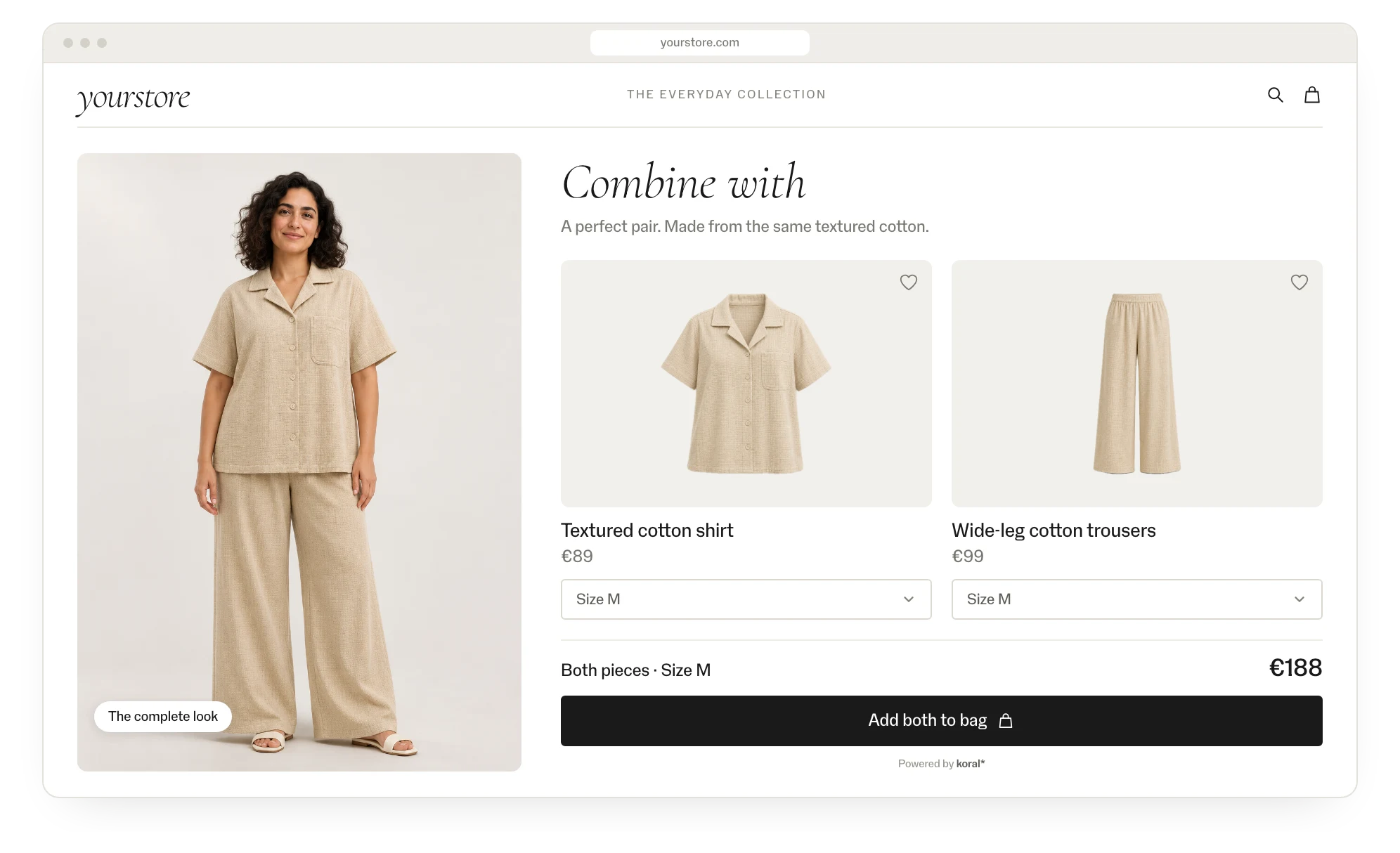
Sets without the manual linking.
The full series
Every piece of a set is shown on every other piece, at once.
Beyond the series
Matches across brands that complete the set when the series stops.
Every colour variant
Each colour gets its own set, matched on colour and material.
Live on all domains
Sets follow your product IDs, so they work across every market and app.
See it in action.
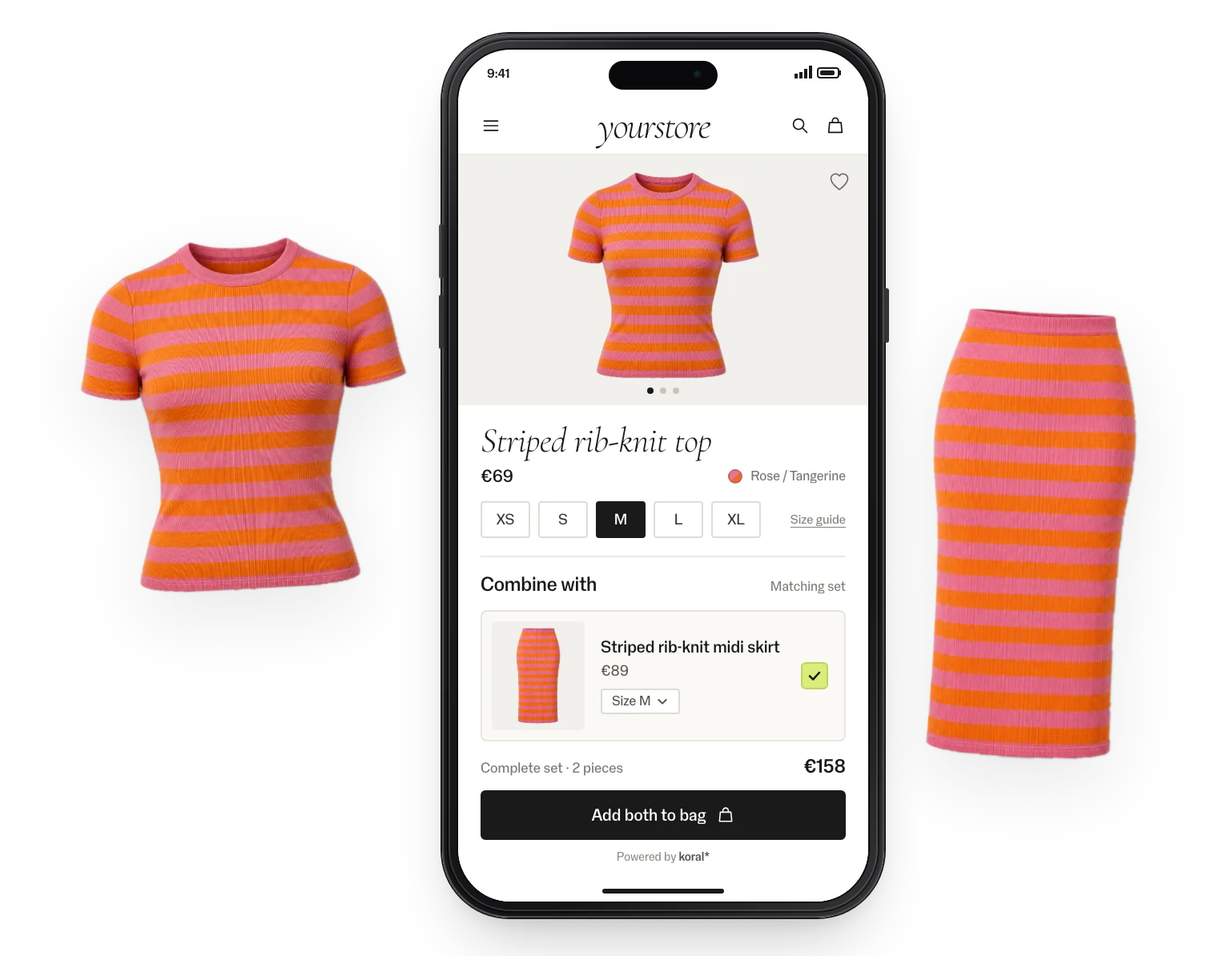
On mobile
The matching set on the product page, with both pieces added in one tap.
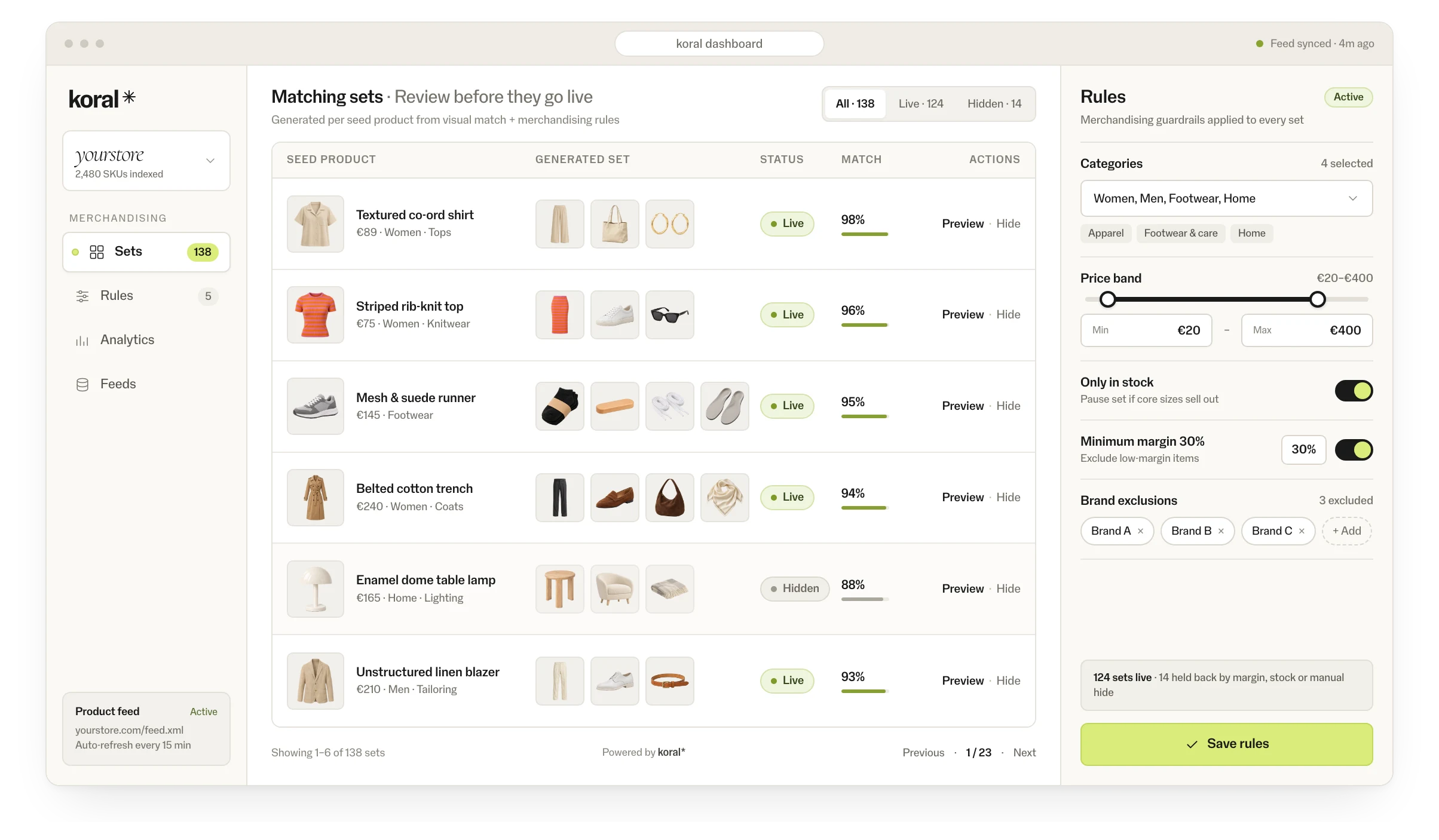
Review before it goes live
Merchandisers see every generated set in the dashboard, test it on live products and remove what shouldn’t show.
Measured in an A/B pilot on 30,000 fashion items.
More add-to-carts for shoppers who saw a matching set.
More sales from the baskets those sets created.
Implementation: this is all it takes.
No model to train, no tagging, no manual linking. The product feed is the only input; the rest is one endpoint.
POST https://search.koral.nu/api/v1/search/matching-set
{ "productId": "YOUR_PRODUCT_ID", "feedId": "YOUR_FEED_ID" }

200 OK
{ "matches": ["231956529", "231955952"] }
Sets are generated ahead of time, so the endpoint just serves them, sub-second. Your team renders them where they belong.
Feed connected
CSV, JSON or your platform feed. Koral generates the sets for every product in it.
Endpoint wired
Your team calls the endpoint from your own components and places the result where it belongs.
Live and measured
Pilot on one category, A/B-split, with events in your analytics. Then roll out market by market.
Good to know.
- Generated ahead of time
- Sets are built in the backend for the products in your feed, so the endpoint just serves them, sub-second.
- Your components
- Your team renders the response in your own modules, so it looks like the rest of your store.
- Every market and app
- Sets follow your product IDs, so the same call works across domains, markets and apps.
- Analytics
- Every pilot is A/B-split and measured on add-to-cart and sales, with events in your analytics.
- Control
- A rules engine for what shows where: categories, price bands, stock, margins and brand exclusions.
- Review
- Merchandisers see every generated set in the dashboard, test it on live products and remove what shouldn’t show.
Security and data.
- Nothing is kept
- Koral keeps nothing from shoppers. Photos and data are used for the request and not stored.
- Processed in the EU
- The script is served from a global CDN; requests are processed in the EU.
- Uptime
- 99.9% uptime SLA.
- Data processing agreement
- A data processing agreement (DPA) comes with every contract.
- Your product data
- Product data stays yours; nothing is trained on it.
Questions about data processing? Write to hello@koral.nu. Privacy policy →
Frequently asked questions.
It reads product data and images from your feed and matches series, colour and material. No manual linking in your PIM or CMS.
Anything sold in sets: co-ords, suits, swimwear, bedding, tableware and furniture series.
Usually on the product page, under a heading such as “Combine with”, and in the basket. The output comes through the API, so you place it where you want.

See Koral on your own catalogue.
Start with a free demo page on your own catalogue, then a one-month pilot at 50% off list prices. All we need is a product feed. Tell us a little about your store. We answer fast.
Thanks — we'll be in touch.
We've got your message. We answer fast.
Prefer email? hello@koral.nu