
Make all your content shoppable.
Campaign photos, influencer content and editorial images become a point of sale. Shoppers tap a product in the image and buy it, or find something similar from your catalogue. Curated when you want control, dynamic when you want scale.
- How shoppers meet it
- One tap
- What it needs
- Your feed and the script tag
- Status
- Live on Magasin and Kop & Kande

From image to basket.
Curated looks
Curate looks with a Chrome extension, straight on your own site. No CMS work.
Automatic out-of-stock swaps
When a product in a look sells out, Koral swaps in the closest match that is in stock.
Dynamic looks
Every content image made shoppable automatically, with no tagging.
See it in action.
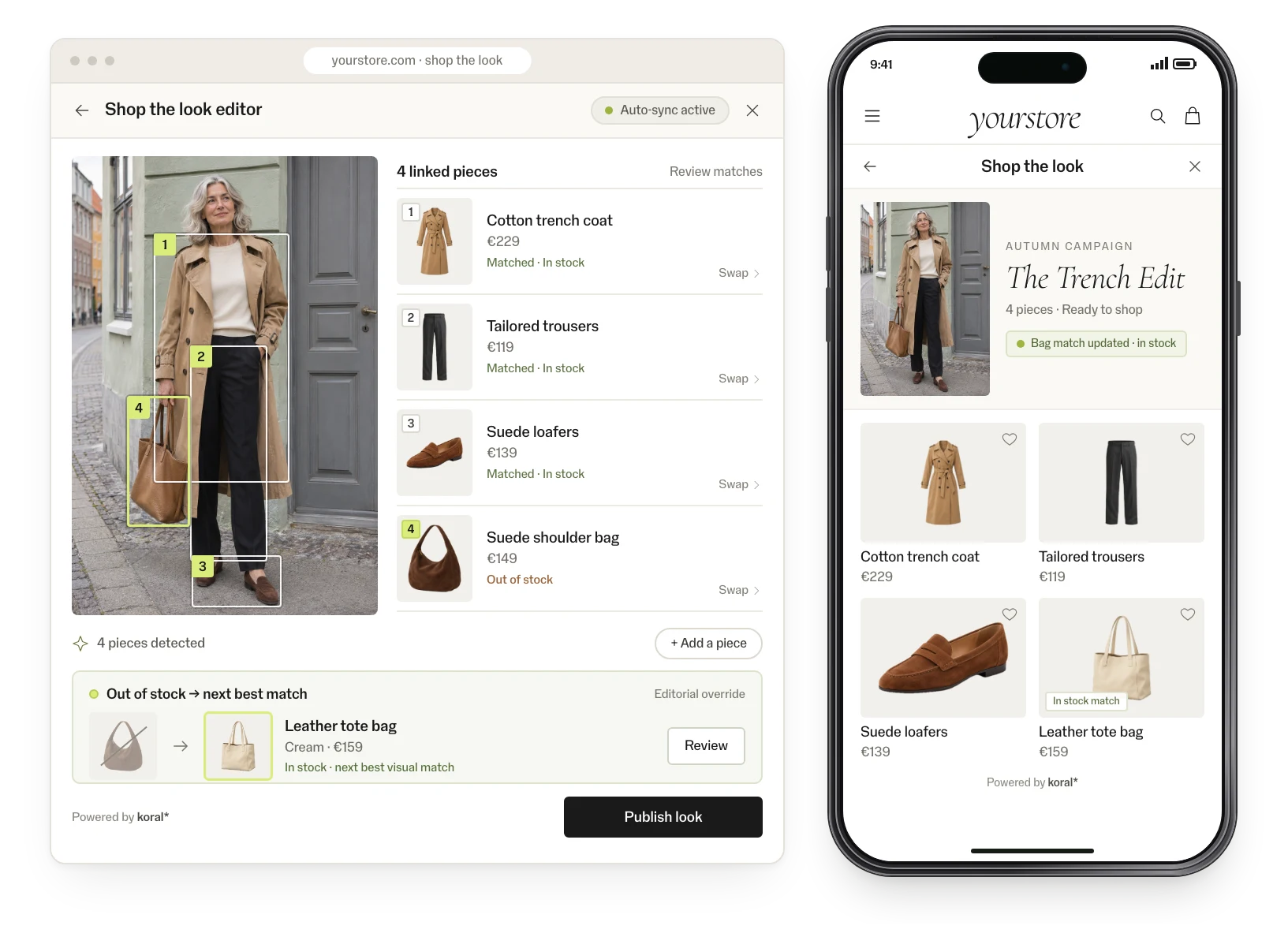
The curation editor
Pick or swap products straight on your live site with the Chrome extension. Sold-out items get the next best match.
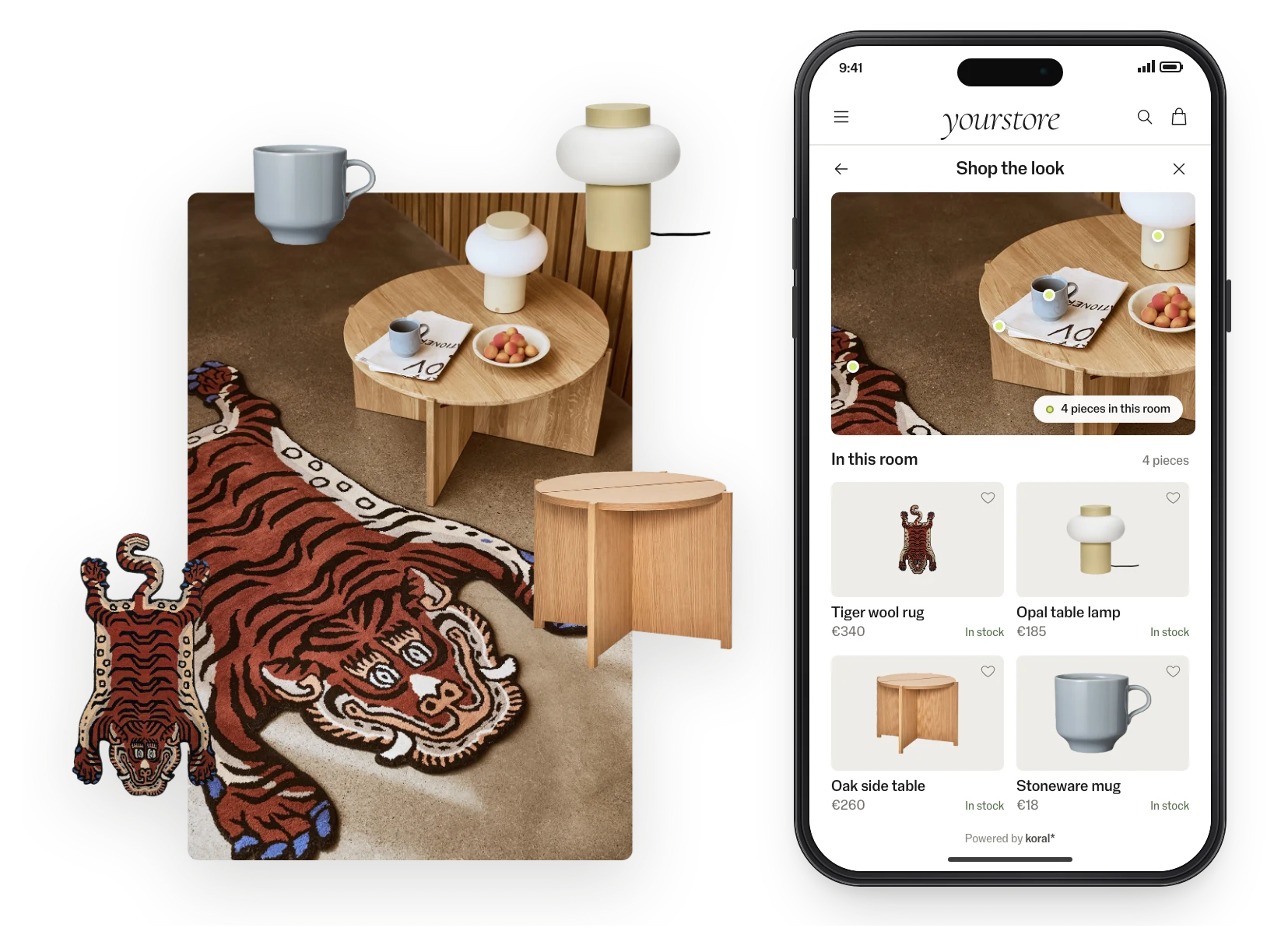
In a room
Interior images work the same way: every piece in the room becomes a product.
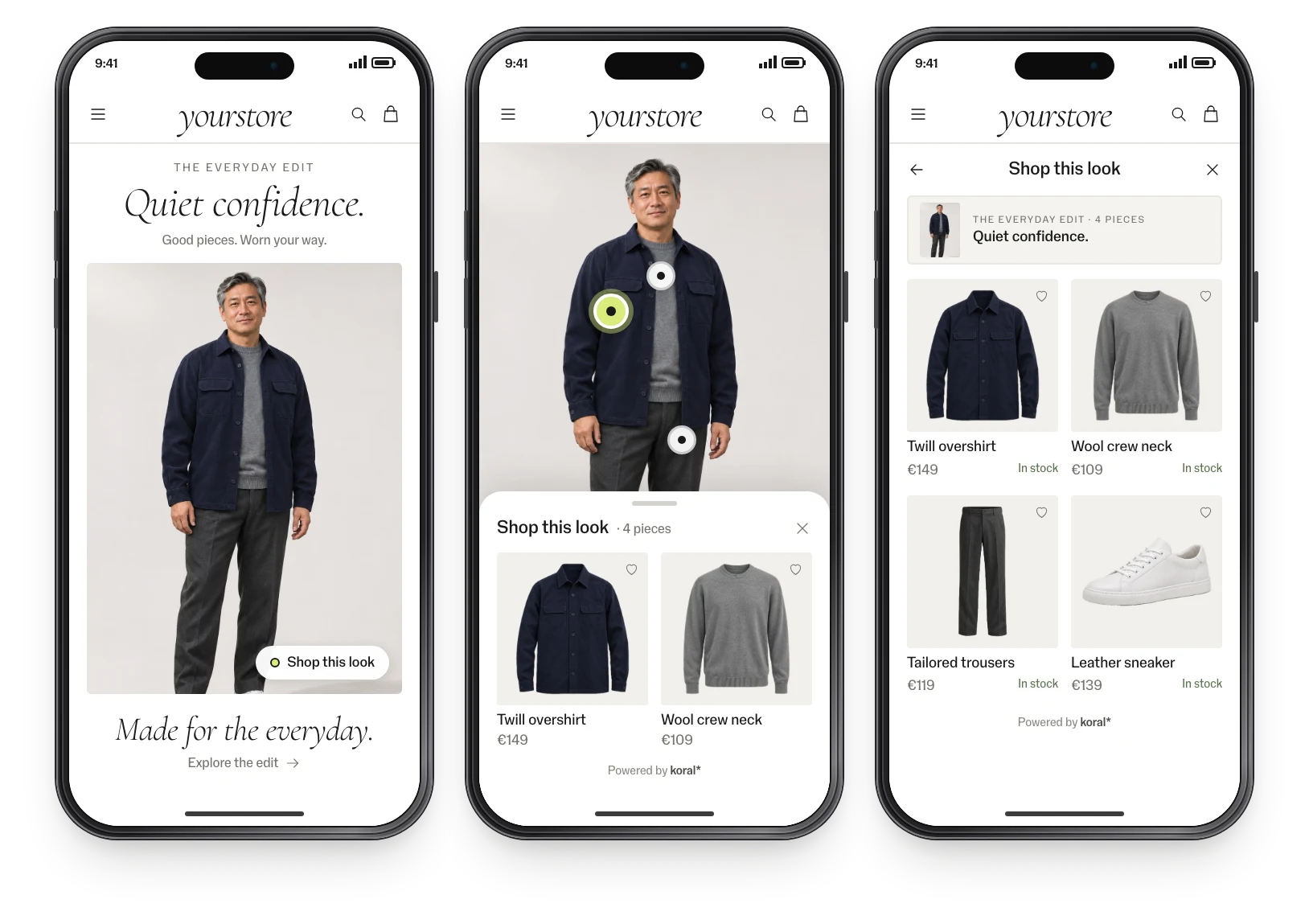
On editorial content
From an editorial story to the pieces in it, each one shoppable.
Implementation: this is all it takes.
No model to train, no tagging, no CMS work. The product feed is the only input; the rest is one script tag.
<!-- one tag, via GTM or the template -->
<script src="https://script.koral.nu/dist/index.js?searchId=YOUR_SEARCH_ID&shopTheLook=true"></script>
Widgets are included and take your colours, radius and language. Or render your own components on the same data.
Feed connected
CSV, JSON or your platform feed. Koral indexes every image, in any language and any category.
Tag added
Add the tag through GTM or your template. The widgets come with it, in your colours and language.
Live and measured
Pilot on one category, A/B-split, with events in your analytics. Then roll out market by market.
Good to know.
- Whole catalogue
- Koral reads the product images, so it works for new products and long-tail items from the day they enter the feed.
- Performance
- Sub-second search responses. The tag loads asynchronously after the page, so it doesn’t hold up page load.
- Design
- Widgets take your colours, radius and language, or your team renders its own components on the same data.
- Markets & languages
- Runs on images and the feed, so every market and language in the catalogue works with no per-language setup.
- Analytics
- Views, clicks, add-to-carts and conversions as events in GA or your own stack. Every pilot has an agreed KPI.
- Control
- A rules engine for what shows where: categories, price bands, stock, margins and brand exclusions.
Security and data.
- Nothing is kept
- Koral keeps nothing from shoppers. Photos and data are used for the request and not stored.
- Processed in the EU
- The script is served from a global CDN; requests are processed in the EU.
- Uptime
- 99.9% uptime SLA.
- Data processing agreement
- A data processing agreement (DPA) comes with every contract.
- Your product data
- Product data stays yours; nothing is trained on it.
Questions about data processing? Write to hello@koral.nu. Privacy policy →
Frequently asked questions.
Shop the look lets shoppers buy the products they see in an image, such as a campaign photo or an outfit on a model, directly from that image.
No. Dynamic looks and Shop similar look work on any image automatically. For curated looks, you pick the products with a Chrome extension on your live site.
Koral swaps in the closest visual match that is in stock.

See Koral on your own catalogue.
Start with a free demo page on your own catalogue, then a one-month pilot at 50% off list prices. All we need is a product feed. Tell us a little about your store. We answer fast.
Thanks — we'll be in touch.
We've got your message. We answer fast.
Prefer email? hello@koral.nu